Palette grid
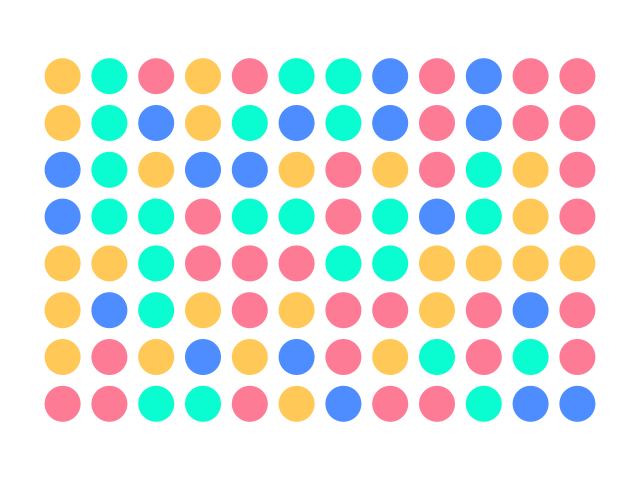
Build a repeatable color study from one circle and a seeded palette.
Beginner · Ellipse → Clone → Color
Download scene JSON · Open SVG preview
Try it in the editor
Section titled “Try it in the editor”Download the JSON file and open it in svertik with Open or by dragging it onto the editor. The scene is complete and editable.
Build it step by step
Section titled “Build it step by step”- Create a 36 × 36 px filled Ellipse.
- Add Clone in Grid mode. Set Columns to 12, Rows to 8, and Spacing to [1.3, 1.3].
- Add Color after Clone, choose Palette mode, and set Colors to turquoise, pink, yellow, and blue. Set Seed to 7.
- Change Seed for another reproducible arrangement. Color goes after Clone so it can assign a color to each copy.
Render it from the terminal
Section titled “Render it from the terminal”Run this from the main svertik checkout, replacing the input path with the downloaded file:
pnpm svertik render palette-grid.json -o palette-grid.svgComplete scene
Section titled “Complete scene”{ "version": 1, "notes": "A seeded four-color circle grid. Clone creates the geometry; Color owns the palette.", "document": { "width": 640, "height": 480 }, "objects": [ { "kind": "shape", "id": "palette-grid", "name": "Palette Grid", "shape": "ellipse", "params": { "width": 36, "height": 36, "fill": true, "fillColor": "#09fdd1", "stroke": false }, "stack": [ { "id": "grid-clone", "type": "clone", "params": { "mode": "grid", "columns": 12, "rows": 8, "spacing": [ 1.3, 1.3 ] } }, { "id": "grid-color", "type": "color", "params": { "mode": "palette", "palette": [ "#09fdd1", "#fe7b96", "#ffc857", "#4d8dff" ], "paletteMode": "random", "seed": 7, "target": "fill" } } ] } ]}