Wave ribbons
Repeat a thin rectangle, then deform the whole field into flowing bands.
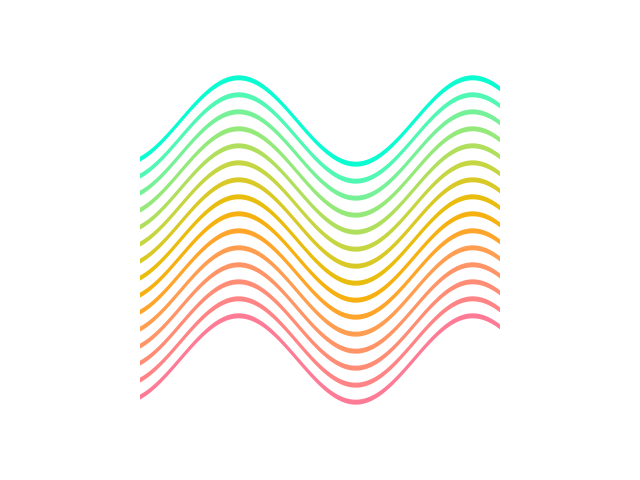
Beginner · Rectangle → Clone → Wave → Color
Download scene JSON · Open SVG preview
Try it in the editor
Section titled “Try it in the editor”Download the JSON file and open it in svertik with Open or by dragging it onto the editor. The scene is complete and editable.
Build it step by step
Section titled “Build it step by step”- Create a filled Rectangle with Width 360, Height 5, and no corner radius.
- Add Clone in Linear mode with Count 15 and Offset [0, 3.4]. This sets the spacing relative to the source rectangle.
- Add Wave after Clone: Amplitude 0.12, Wavelength 0.65, Phase 35, Direction 0.
- Add Color in Gradient mode, from turquoise to pink, targeting Fill.
- Try moving Wave before Clone: the deformation is then applied to the source before it is repeated.
Render it from the terminal
Section titled “Render it from the terminal”Run this from the main svertik checkout, replacing the input path with the downloaded file:
pnpm svertik render wave-ribbons.json -o wave-ribbons.svgComplete scene
Section titled “Complete scene”{ "version": 1, "notes": "Flowing horizontal ribbons. Apply Wave to the entire cloned field, then color each ribbon.", "document": { "width": 640, "height": 480 }, "objects": [ { "kind": "shape", "id": "ribbons", "name": "Ribbons", "shape": "rectangle", "params": { "width": 360, "height": 5, "fill": true, "fillColor": "#09fdd1", "stroke": false }, "stack": [ { "id": "ribbons-clone", "type": "clone", "params": { "mode": "linear", "count": 15, "offset": [ 0, 3.4 ] } }, { "id": "ribbons-wave", "type": "wave", "params": { "amplitude": 0.12, "wavelength": 0.65, "phase": 35, "direction": 0 } }, { "id": "ribbons-color", "type": "color", "params": { "mode": "gradient", "from": "#09fdd1", "to": "#fe7b96", "target": "fill" } } ] } ]}